

Online Casino Accessibility in 2026: WCAG 2.2, Keyboard Access, Screen Readers and Contrast
Accessibility in an online casino is not a decorative feature or a single compliance task. It determines whether a person can register, verify an account, read game information, set a deposit limit, contact support and make an informed decision without unnecessary barriers. In 2026, operators must consider people who navigate without a mouse, use screen readers, enlarge text, require stronger contrast, experience limited dexterity or need more time to complete a process. WCAG 2.2 provides the clearest international reference for this work, but practical accessibility goes beyond passing isolated checks. The complete customer journey must remain understandable and operable when content changes, payment windows open, promotional messages appear or a game supplied by another company is loaded. A well-designed service does not assume one type of device, vision, hearing or movement. It gives users reliable control, communicates risk-related information clearly and makes essential account functions available through more than one method of interaction.
Accessibility Expectations for Online Casinos in 2026
WCAG 2.2 is the latest completed version of the WCAG 2 standard in 2026 and is also approved as ISO/IEC 40500:2025. It is organised around four principles: content should be perceivable, operable, understandable and robust. These principles are especially relevant to online casinos because their pages contain changing balances, animated game tiles, timed messages, identity checks, payment forms and account controls. A page may look clear during a visual review and still fail for a keyboard or screen-reader user. For example, a deposit button may be visible but unreachable without a mouse, an error may be shown only in red, or a bonus condition may be hidden inside an expandable panel with no accessible name. Accessibility work therefore has to examine what a user can complete, not only what appears on the screen. The most useful target for general public-facing content is normally WCAG 2.2 Level AA, while selected Level AAA practices can provide additional value where they are realistic and suitable.
The legal position depends on the country, the operator’s role and the service being offered. In the European Union, national measures implementing the European Accessibility Act have applied to covered products and services since 28 June 2025, and the Act includes e-commerce services within its scope. This does not create one identical rule for every gambling business in every Member State. National implementation, exemptions, enforcement arrangements and the legal classification of a particular service still matter. WCAG itself is a technical standard rather than a gambling licence condition that applies automatically in every jurisdiction. An operator should therefore separate two questions: what the law requires in each market, and what users need in order to access the service fairly. Meeting a narrow legal minimum may leave serious barriers in registration, payments, safer gambling controls or support. A documented accessibility standard gives product, compliance and customer-service teams a shared basis for decisions.
The scope of an accessibility review should follow the full account journey. It begins with the home page and registration, then continues through age and identity verification, login, password recovery, game search, payments, withdrawals, bonus information, transaction history, complaints and account closure. Safer gambling functions require particular attention because a person must be able to set limits, request a time-out, use self-exclusion tools and read reality-check messages without relying on precise pointer movement or colour alone. Accessibility also affects trust. A user who cannot understand why a payment failed or cannot move focus into a verification window may repeat an action, submit incorrect information or leave the process unfinished. Clear labels, predictable controls and readable messages reduce these risks. They also help older users, people with temporary injuries, users working on small screens and anyone using a poor connection or an unfamiliar device.
Using WCAG 2.2 as a Practical Baseline
WCAG conformance is measured against testable success criteria at Levels A, AA and AAA. For an online casino, a sensible programme starts by defining which pages, account areas, mobile views and embedded game experiences are included in the assessment. A claim about one accessible page does not prove that the complete service is accessible. WCAG 2.2 also adds requirements that are useful for transaction-heavy journeys, including keeping keyboard focus from being fully hidden, providing alternatives to dragging actions, setting a minimum target size in relevant cases and making authentication less dependent on memory or puzzle solving. WCAG 3 was still an incomplete draft in 2026, so it should not be treated as a replacement for WCAG 2.2. Teams can monitor its development, but procurement terms, audits and release criteria need a stable standard. WCAG 2.2 Level AA is the clearer reference for current work.
Third-party content is one of the hardest parts of casino accessibility. Game lobbies often combine an operator-controlled interface with payment services, verification tools, live chat and games supplied by external companies. Each component can introduce a different focus order, labelling method or keyboard behaviour. Contractual responsibility and legal responsibility may differ, but the user experiences one continuous journey. Operators should request accessibility information before integrating a supplier, include accessibility requirements in contracts and test the final integration rather than relying on a vendor statement. A game that cannot be operated with a keyboard should not be described as accessible merely because the surrounding lobby meets WCAG. Where a game has known limitations, the service should give accurate information, provide filters for accessible titles where possible and ensure that essential account and safer gambling controls remain available outside the game area.
An effective policy assigns responsibility rather than leaving accessibility to a final audit. Designers need approved contrast and focus rules; writers need guidance for labels, error messages and game information; developers need accessible component patterns; testers need manual scenarios; procurement teams need supplier questions; and support staff need a route for handling accessibility reports. An accessibility statement should identify the standard used, known limitations, contact options and the process for requesting information in another format. It should be kept current instead of copied from a generic template. Release criteria can require keyboard completion of essential journeys, screen-reader checks for dynamic messages and evidence that new colour combinations meet contrast thresholds. This approach turns accessibility into routine quality control. It also makes remediation more efficient because problems are found before the same inaccessible component is repeated across registration, payments and account settings.
Keyboard Navigation Through the Full Casino Journey
WCAG requires functionality to be operable through a keyboard interface when the task does not inherently depend on a movement path. In practice, a user should be able to move through the casino with Tab and Shift plus Tab, activate ordinary controls with Enter or Space, operate suitable composite controls with arrow keys and close dismissible layers with a predictable command such as Escape. The exact keys depend on the control pattern, but behaviour must be consistent and communicated when it is unusual. Focus order should follow the visual and logical reading sequence. It should not jump from the header to the footer, enter hidden content or land on decorative elements. Custom buttons made from non-interactive elements are a common source of failure because they may respond to a mouse click but cannot receive keyboard focus. Native controls are generally more reliable, and custom widgets require careful implementation and testing.
Keyboard traps frequently appear in cookie notices, age gates, login windows, payment frames, live-chat panels and game overlays. When a modal window opens, focus should move into it, remain within the active window while it is open and return to a sensible position after it closes. A visible close control must be reachable. Sticky headers, chat buttons and fixed promotional bars should not cover the element that currently has focus. WCAG 2.2 specifically requires a focused component not to be entirely hidden by content created by the site. This matters on smaller screens, where a cookie banner can cover most of the next button or a virtual keyboard can hide an input and its error message. Focus must also remain visible. Removing the browser outline without providing a strong replacement makes navigation uncertain for people with limited dexterity, low vision or no practical way to use a mouse.
Game discovery creates additional keyboard challenges. Filters, provider menus, favourites, carousels and infinite scrolling can produce very long tab sequences or controls with unclear names. A user should be able to reach search and filter functions early, understand how many results were returned and move to a selected game without tabbing through every promotional tile. Automatically rotating carousels need a pause mechanism, and hidden slides should not remain in the keyboard order. Drag-only actions need a simpler alternative, such as buttons that move an item or change a value. Touch targets should be large enough to reduce accidental activation, particularly for deposit amounts, stake controls and safer gambling settings. Keyboard access should also cover the step after a game launches. Full-screen controls, sound settings, paytable information, stake changes and exit actions must not become unreachable inside an embedded frame or graphics-based game area.
Screen Reader Support That Communicates What Changes
Screen readers depend on meaningful structure and programmatic information. A casino page should use real headings in a logical hierarchy, landmarks for major regions, correctly associated form labels and links whose purpose is clear without nearby visual context. Images that communicate information need useful alternative text, while decorative artwork should be ignored by assistive technology. Icons for favourites, sound, account details or closing a window require accessible names. A label such as “button” or “click here” is not enough when several similar controls are present. Visible wording and accessible names should remain consistent so voice-control users can identify the same control they see on the screen. Native HTML should be preferred where it provides the required behaviour. ARIA can add missing roles, states and relationships, but incorrect ARIA may make a control less understandable than a simple native button, checkbox or select field.
Dynamic information needs deliberate handling. Account balances, stake values, validation errors, bonus progress, deposit results and session reminders may change without loading a new page. The user must be told about an important change at the right time, without having focus unexpectedly moved or every minor animation announced. Status messages can communicate successful actions, errors and updated results while allowing the user to remain on the current control. Forms should identify the field with a problem, describe what needs to be corrected and preserve information already entered when possible. A red border alone does not explain an error to a blind user or a person who cannot distinguish the colour. Time limits must also be communicated before they expire, with an option to extend or complete the process where the activity allows it. This is particularly important during identity checks, payment verification and account-security steps.
Games built mainly with canvas, video or complex graphics require more than a short image description. The user needs access to the game name, rules, stake, available actions, current state, result and any information required to make the next decision. For table games, this may include cards, dealer status and available actions. For slots, it may include stake settings, spin controls, paytable access and a clear result message. A spoken sound effect is not an adequate substitute for structured information. Live games also need accessible controls and a non-visual way to receive essential state changes. Some existing titles will not meet these expectations, especially where accessibility was not considered during development. Operators should test games individually, avoid making unsupported claims and present accessible alternatives in a way that can be found without opening multiple unsuitable titles.
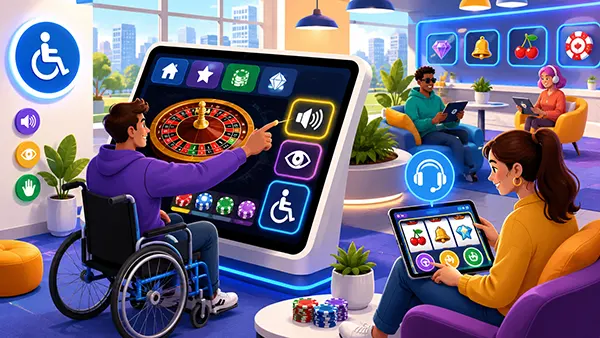
Contrast, Motion and Comprehensible Interaction
Casino design often uses dark backgrounds, bright accents, layered images and animated promotions, which can create serious readability problems. Under WCAG 2.2 Level AA, ordinary text generally needs a contrast ratio of at least 4.5 to 1, while large text generally needs at least 3 to 1. User-interface components and meaningful graphical objects also need sufficient non-text contrast, commonly at least 3 to 1 against adjacent colours. These figures should be checked in actual states, not only in a design file. Disabled, selected, hovered, focused and error states can introduce weaker combinations than the default view. Text placed over changing game artwork is especially risky because one part of the image may provide adequate contrast while another does not. A solid backing, overlay or controlled text area is more dependable than assuming a shadow will make every title readable.
Colour should support meaning rather than carry it alone. Deposit success, withdrawal failure, selected filters, game availability and safer gambling warnings need text, icons, patterns or structural cues in addition to green, red or another colour. A player with colour-vision deficiency may not recognise a red loss indicator or a green confirmation when the labels are otherwise identical. Focus indicators also need to be easy to see against light and dark surfaces. WCAG 2.2 includes an enhanced Level AAA focus-appearance criterion based on the size and contrast of the indicator; even when Level AAA is not the formal target, its practical approach can guide a stronger design. A clear outline around the active control is usually easier to follow than a small change in background shade. High-contrast themes can help, but they should not be used to excuse weak contrast in the standard theme.
Motion, sound and timing affect users with visual, vestibular, cognitive and attention-related impairments. Promotional carousels, flashing win effects, animated backgrounds and automatically playing video should not prevent a person from reading or operating the page. Moving content that starts automatically and continues for more than a brief period generally needs a way to pause, stop or hide it when it appears alongside other content. Rapid flashing must remain below recognised safety thresholds. Sound that begins automatically should be controllable, and critical instructions should not be available only through audio. Timed sessions and security controls need balanced treatment: security may require expiry, but the user should receive a clear warning and a practical chance to extend the session when permitted. Safer gambling reminders should be readable, announced appropriately and dismissible only after the user has had a genuine opportunity to understand them.
Testing and Maintaining Accessibility in 2026
Automated testing is useful for finding missing labels, duplicate identifiers, some contrast failures and certain structural problems, but it cannot determine whether the full casino journey is understandable and operable. Human testing is required. A basic manual review should complete registration, login, deposit, withdrawal, limit setting, game search, game launch, support contact and logout using only a keyboard. Screen-reader testing should cover headings, forms, errors, modal windows, changing balances and game results. Zoom and text-resize checks should confirm that content remains available without horizontal loss or overlapping controls. Mobile testing should include screen rotation, large text settings and touch interaction. Testing only the home page or a static content page gives a misleading picture because the greatest barriers often appear after authentication, inside payment steps or during a dynamic account action.
A representative assistive-technology matrix can include NVDA with current Windows browsers, JAWS with supported Windows browsers, VoiceOver with Safari on macOS and iOS, and TalkBack with Chrome on Android. The exact combinations should reflect the operator’s audience and supported devices rather than a fixed universal list. Browser and assistive-technology behaviour changes, so results need dates, versions and repeatable steps. User testing with disabled participants adds evidence that a technical checklist cannot provide. It can reveal confusing labels, excessive tab stops, announcements that arrive too late or controls that are technically reachable but exhausting to use. Testers should be given realistic tasks and should be paid for their expertise. Their findings should be recorded alongside automated results, code review and design review, with clear severity levels based on user impact and the importance of the affected journey.
Accessibility must be maintained after the initial audit. Casino content changes frequently through new games, payment methods, promotions, compliance notices and supplier updates. Regression tests should run whenever a shared component or critical journey changes, and severe barriers should block release in the same way as payment or security defects. Teams can track the percentage of essential journeys completed by keyboard, the number of unresolved high-impact issues, the age of known limitations and the time taken to respond to accessibility reports. Metrics should not be reduced to a single automated score because such scores can improve while real barriers remain. The strongest 2026 approach combines a defined WCAG 2.2 target, clear ownership, supplier controls, regular manual testing and transparent communication. Accessibility then becomes part of service reliability and customer protection rather than a one-off statement published after development.